

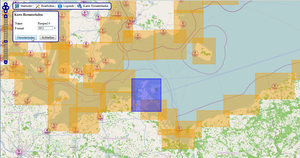


OpenSeaMap-offline-charts
OpenSeaMap-charts can be used on board even without access to internet - with a chart plotter from Garmin, Lowrance, Simrad, B&G. Together with a navigation program or an app also with an onboard-computer, a notebook, on Android tablet, iPad or Windows tablet. Also with smartphones and some GPS-devices.
Lowrance, Simrad, B&G
AT5-charts with world wide coverage
Android
OruxMaps (free app and charts)
Worldwide chart
Cached chart tiles
Show GPS-position
AIS
Waypoint and route navigation
Garmin
Garmin's nautical chart plotters and some handheld devices can use OpenSeaMap vector based charts with worldwide coverage. You can save the whole chart of Europe to memory and it takes up only 3.5GB of SD card space. Garmin nautical chart plotters as well as Colorado, Oregon and Dakota can show the nautical chart in this form.
Free App for iPad, iPhone, iPod touch
Worldwide chart
Cached chart tiles
Show GPS-position
Search function
Windows PC, Notebook, Tablet
The NMEA-Datalogger is chart plotter and shows the chart togeter with navigation data received by WLAN. Charts will be stored in the cache and can be used offline later. Additionally we can logging water depths, for building depth contour lines.
WinNav (GPS-32) is a fully satisfining Navigation Software.
Worldwide chart
Cached chart tiles
Show GPS-position
Search function
Waypoint navigation
Logging water depths
Chart for PC and notebook
Additionally to the chart you need a navigational software. Especially suitable is OpenCPN and WinNav. The charts work also with SeaClear, Fugawi, Touratech and many other programs.